UAM Feature Tour
Scheduling and field reporting for security and executive protection companies. Managers build each site's calendar, and agents see their shifts and file reports from their phones.
Sample data These screenshots come from UAM's demo mode, which uses only sample data. Names, phone numbers, emails and site names are still blacked out, and profile photos are blurred.
Manager app
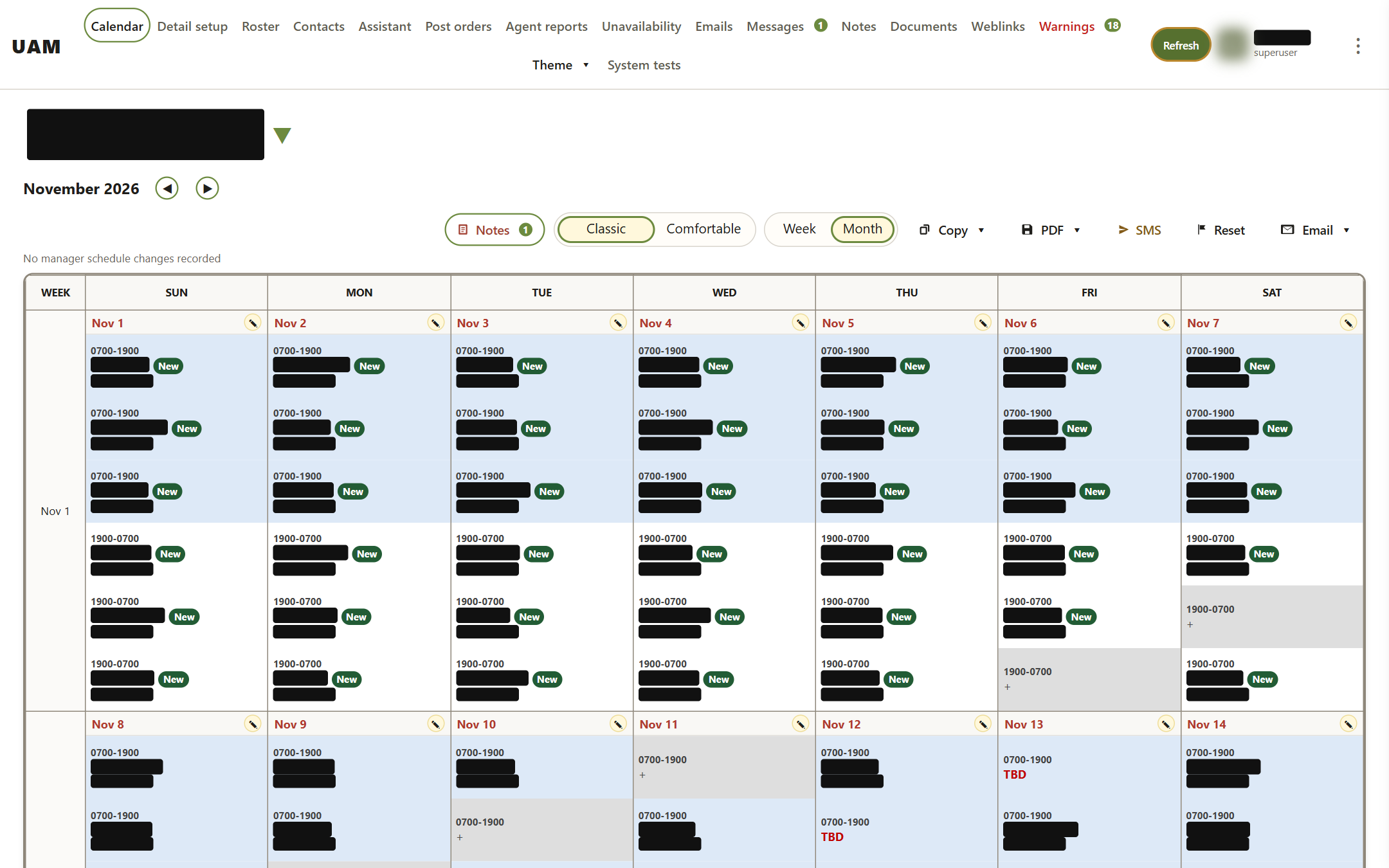
Calendar, month view
This is the main scheduling screen. Pick a detail (client site) at the top. Each day of the month then shows every shift, here 0700-1900 days and 1900-0700 nights, with the agent assigned to each slot.
- A green "New" badge means the agent is working that detail for the first time.
- A grey slot with a "+" is unfilled. A red "TBD" slot still needs someone.
- The toolbar has Notes, Classic and Comfortable layouts, Week and Month views, copy a week or month forward, color or black-and-white PDF, SMS, and emailing the schedule.
Calendar, week view
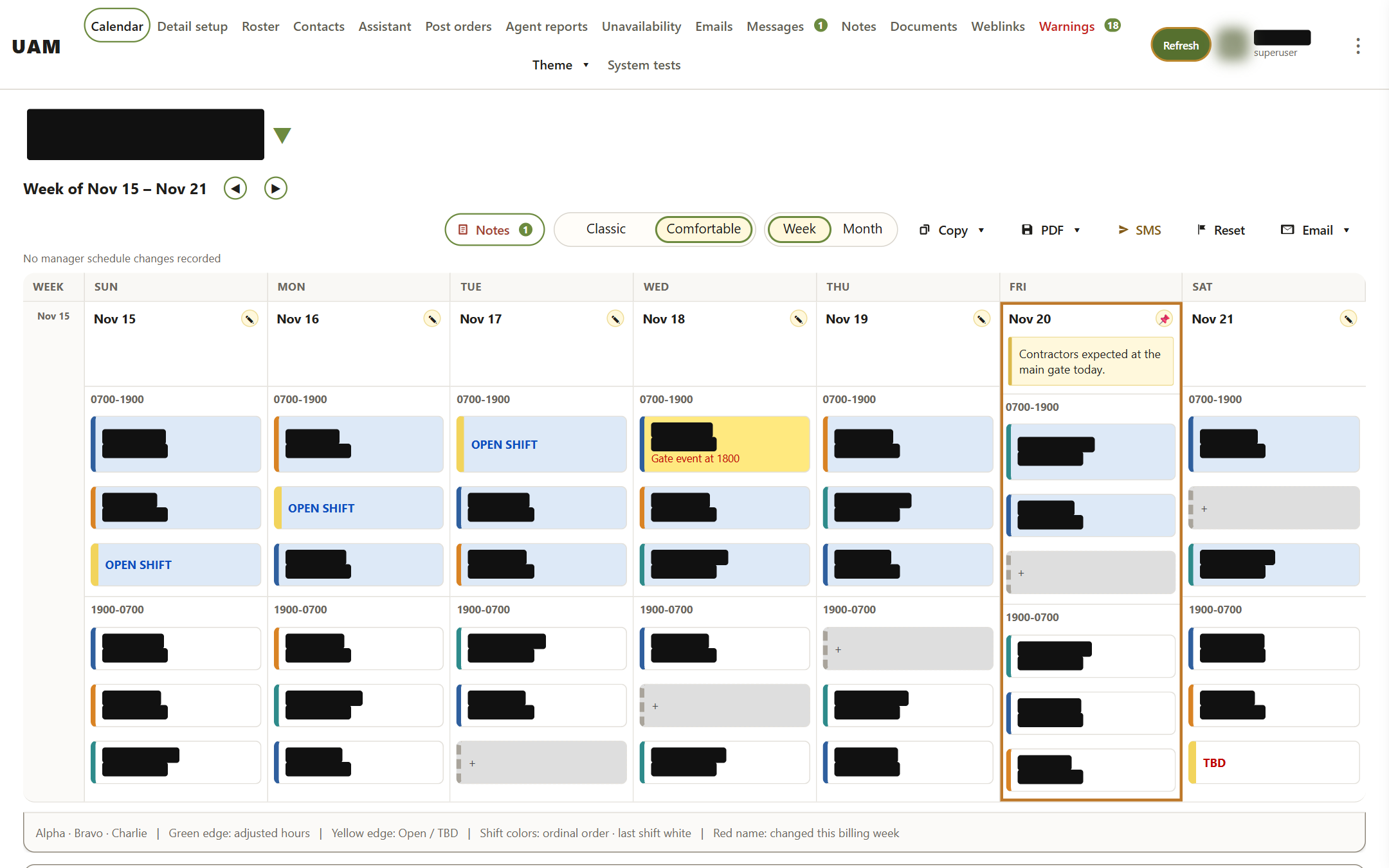
The same schedule shown one week at a time, with larger cards. Today is outlined. Day notes pin to the top of the day ("Contractors expected at the main gate today"), and assignment notes appear under the agent ("Gate event at 1800"). OPEN SHIFT slots are posted for agents to pick up. The legend at the bottom explains the color edges.
Assigning an agent
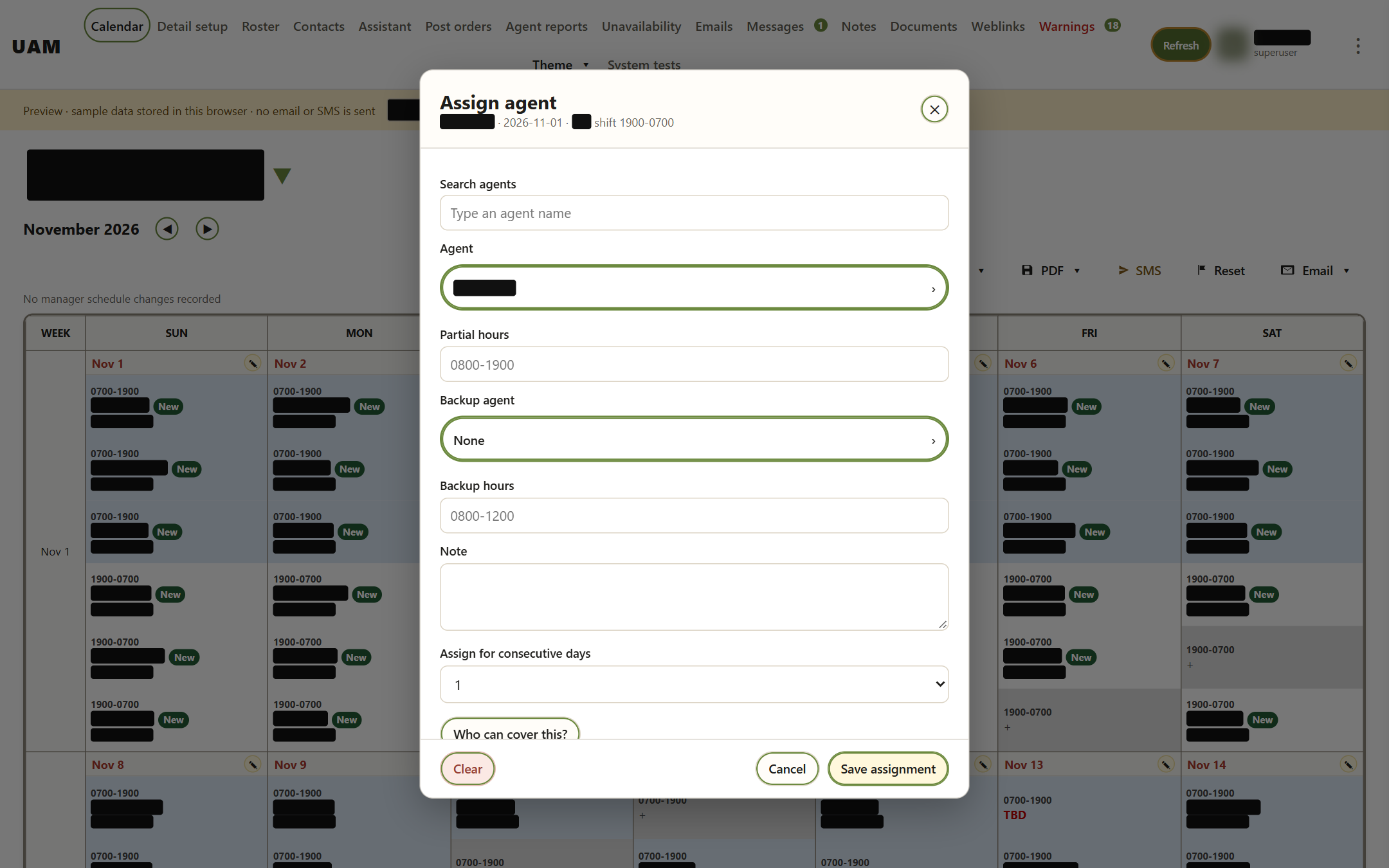
Clicking a slot opens this dialog. The manager searches for an agent and can set partial hours, add a backup agent and a note, or repeat the assignment over several days in a row. "Who can cover this?" lists qualified agents who are free.
Detail setup
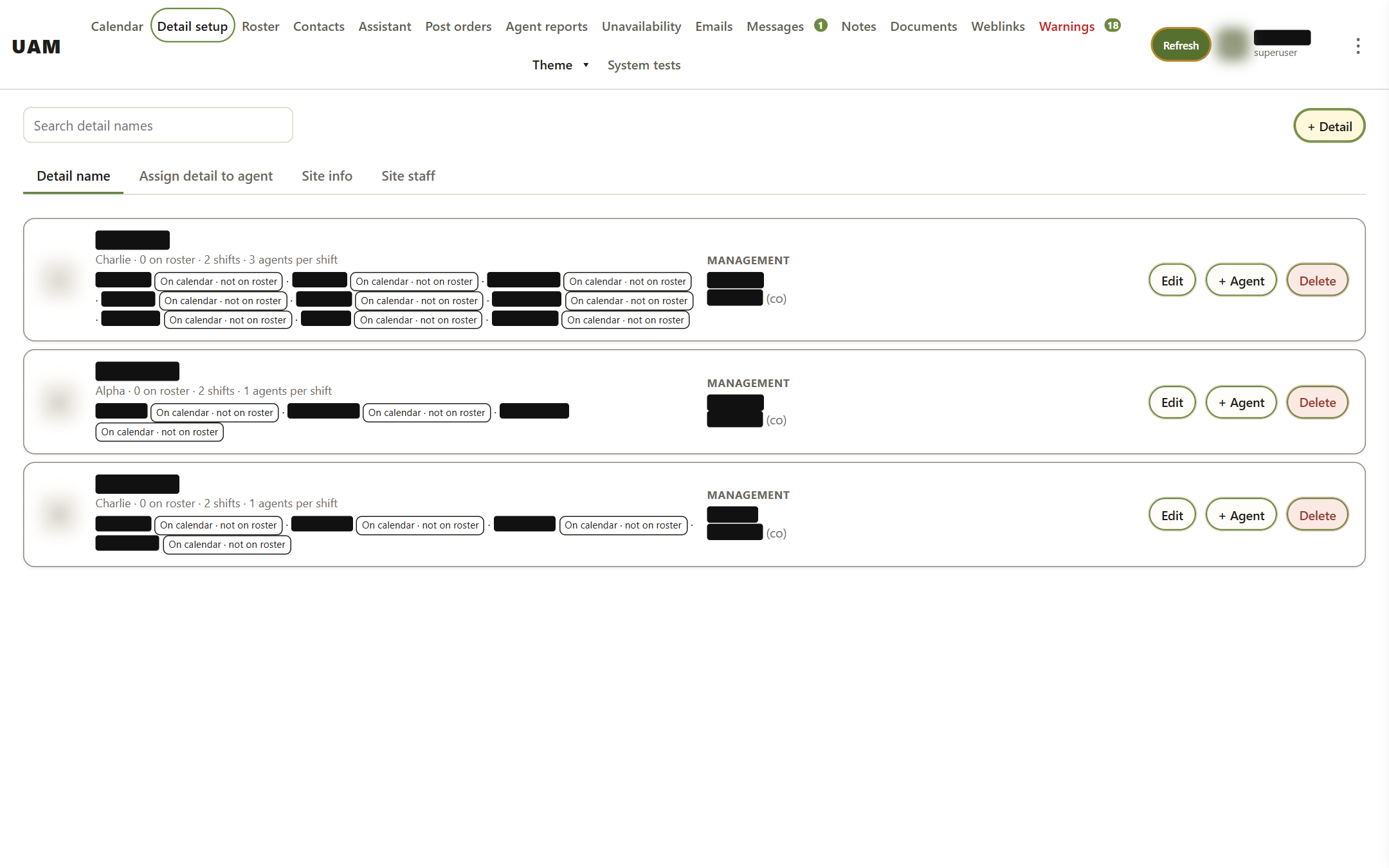
Each client site is set up here: the tier it requires (Alpha, Bravo or Charlie), how many shifts it has and how many agents per shift, its managers and co-managers, and which agents are on its roster. The other tabs cover assigning agents, site info and the client's site staff.
Roster
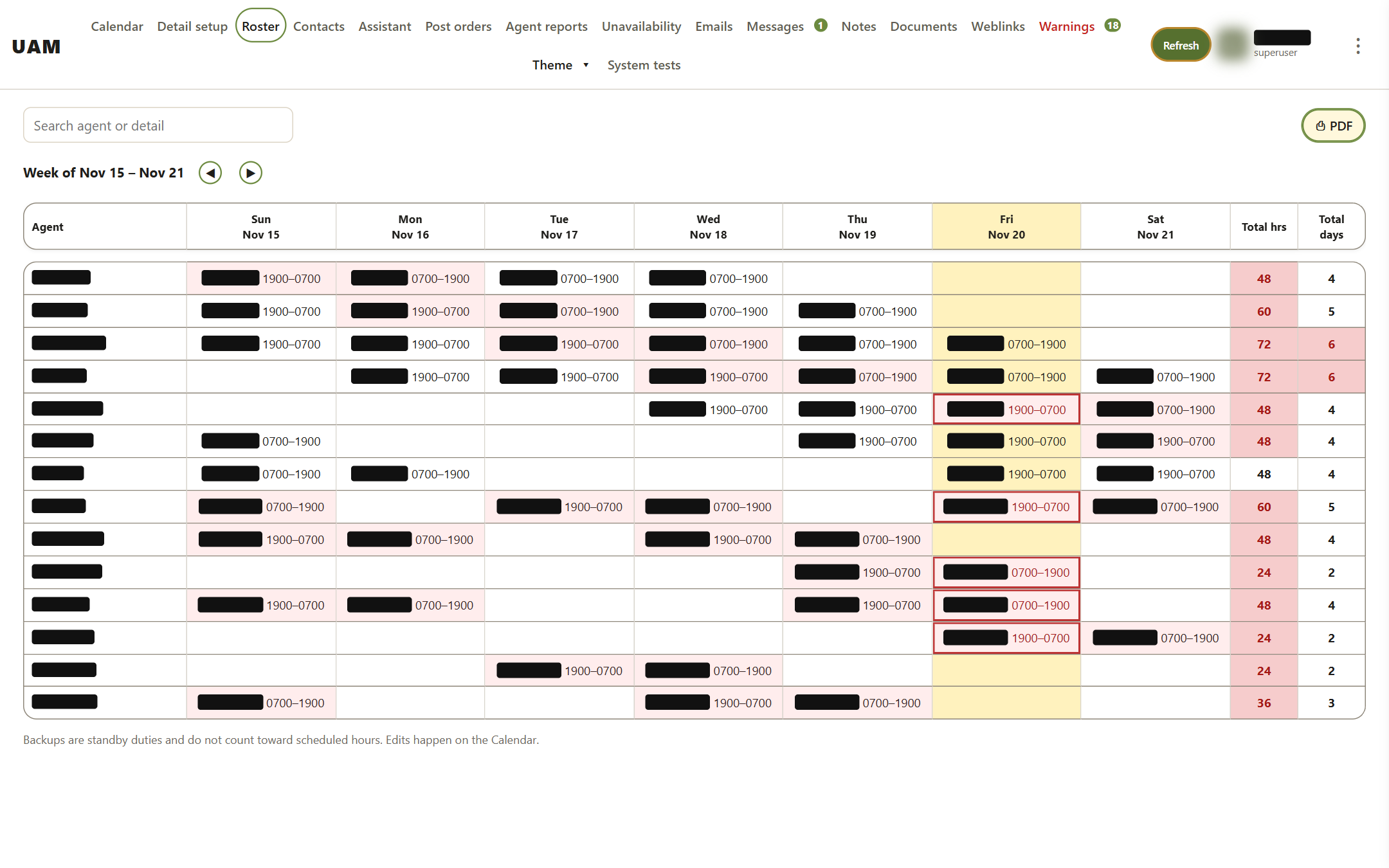
One week of every agent across all details, with total hours and days per agent. A total turns red when an agent goes over the weekly limit, so overscheduling is visible before it becomes a payroll or fatigue problem.
Contacts
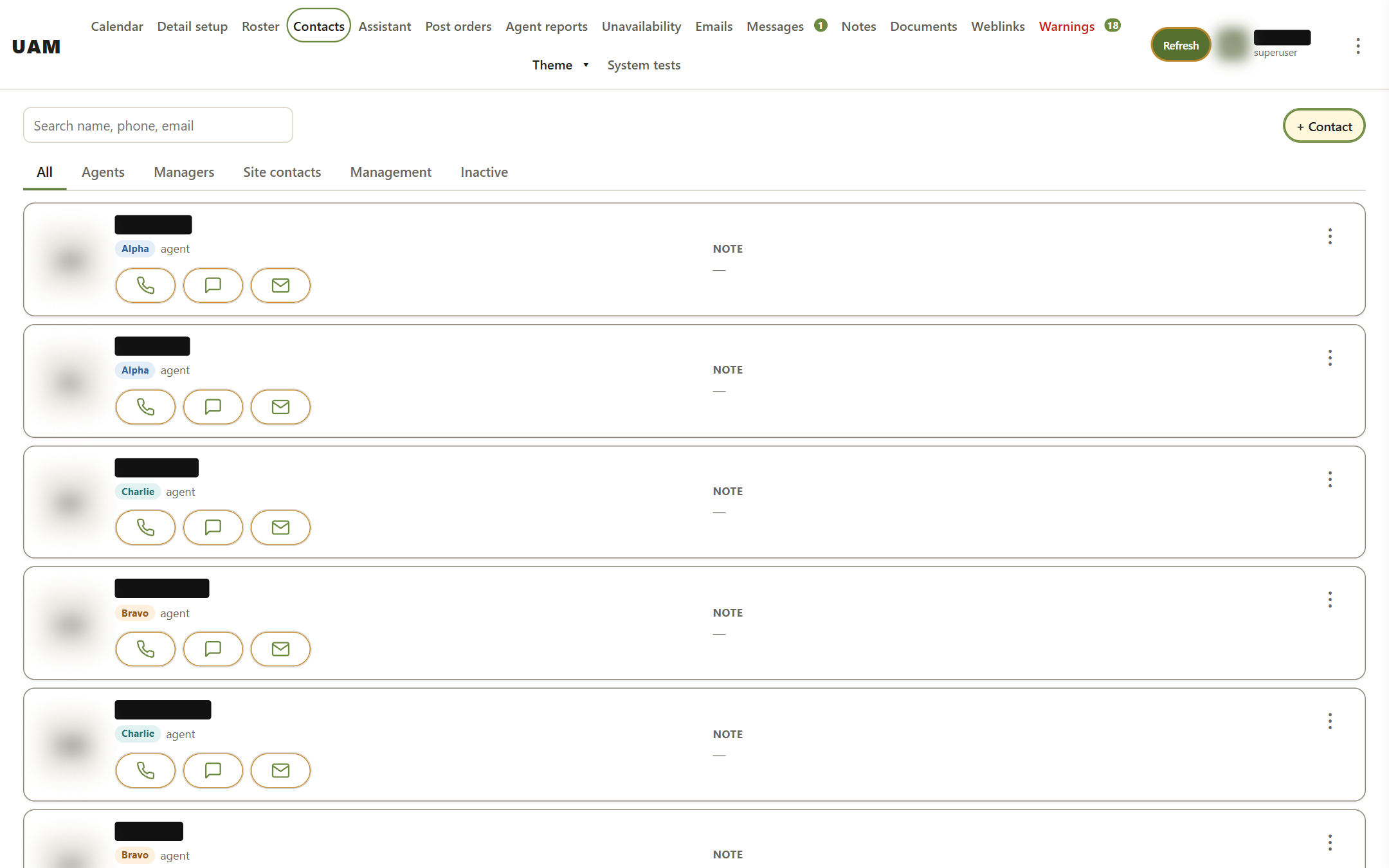
The company directory of agents, managers and client site contacts. Each entry shows a tier, call, text and email buttons, and a private manager note.
Agent reports
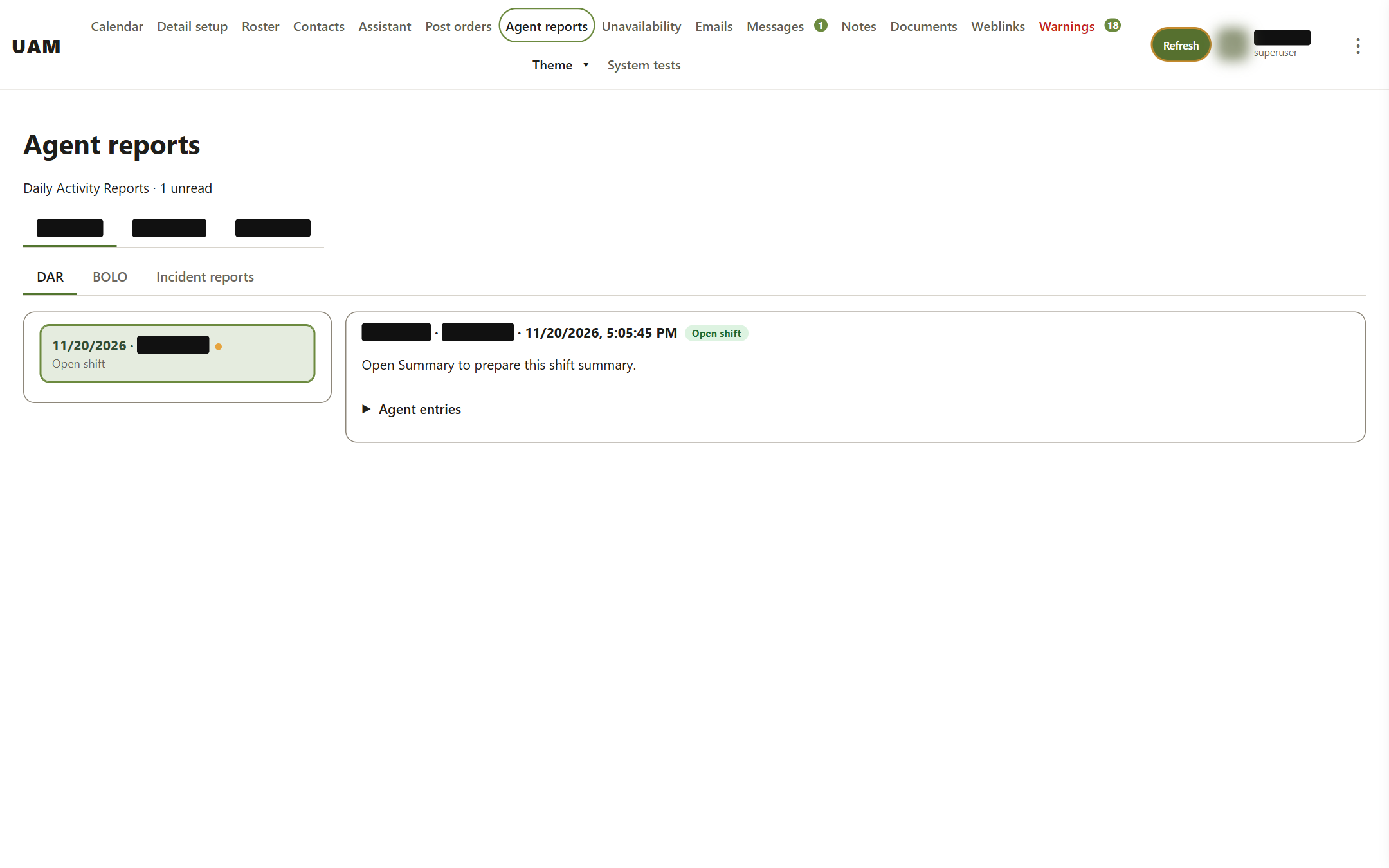
Daily Activity Reports (DARs) that agents file during their shifts, grouped by detail. Each manager has their own unread markers. A report can be read in full or as a prepared summary. BOLO alerts and incident reports are on the next tabs.
Emails
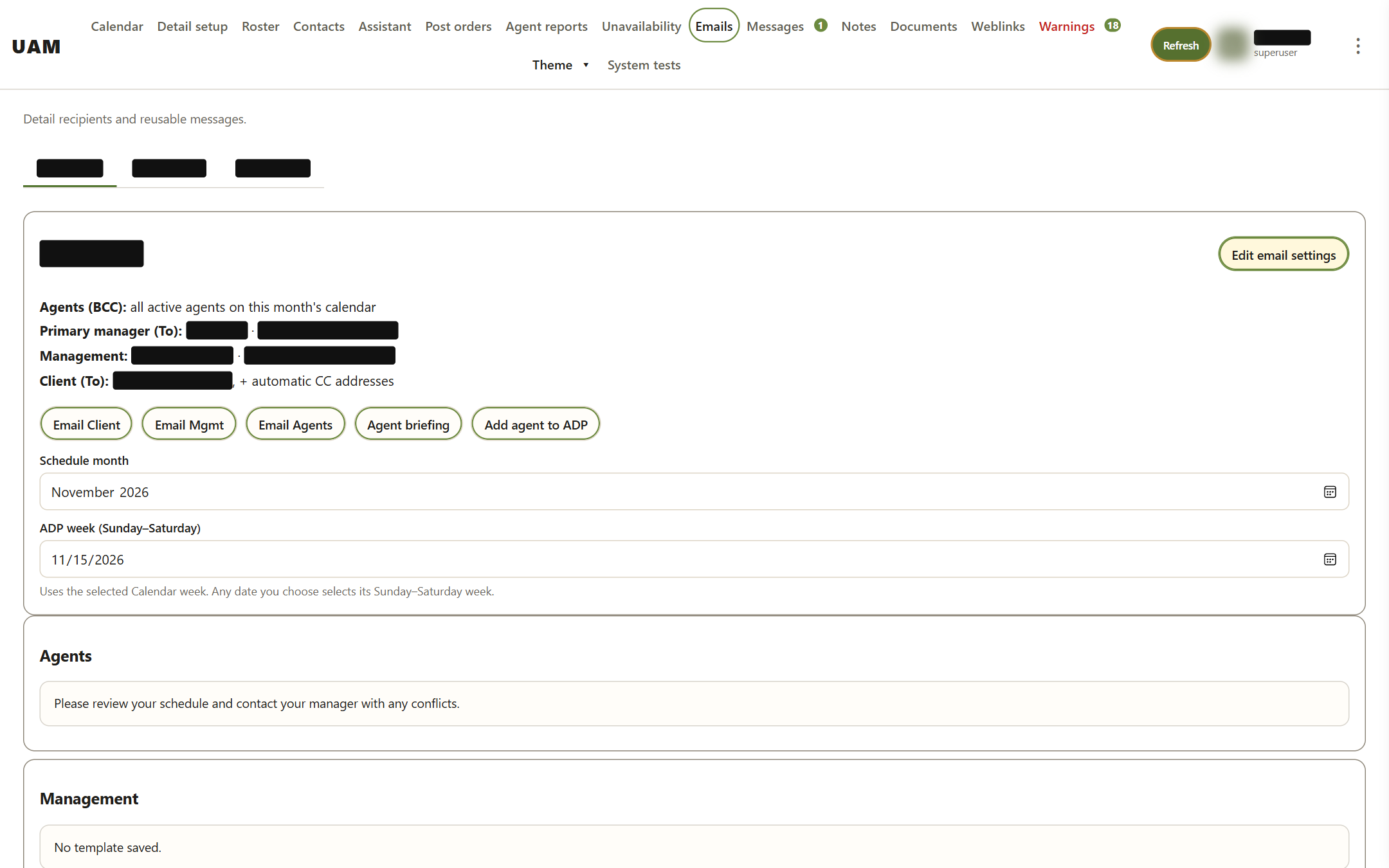
Email settings for each detail, with one-click sends: the schedule to the client, to management, or to all agents as a private BCC. There is also an agent briefing and the weekly "Add agent to ADP" notice for agents starting at a new detail. Recipients are shown before anything is sent.
Warnings
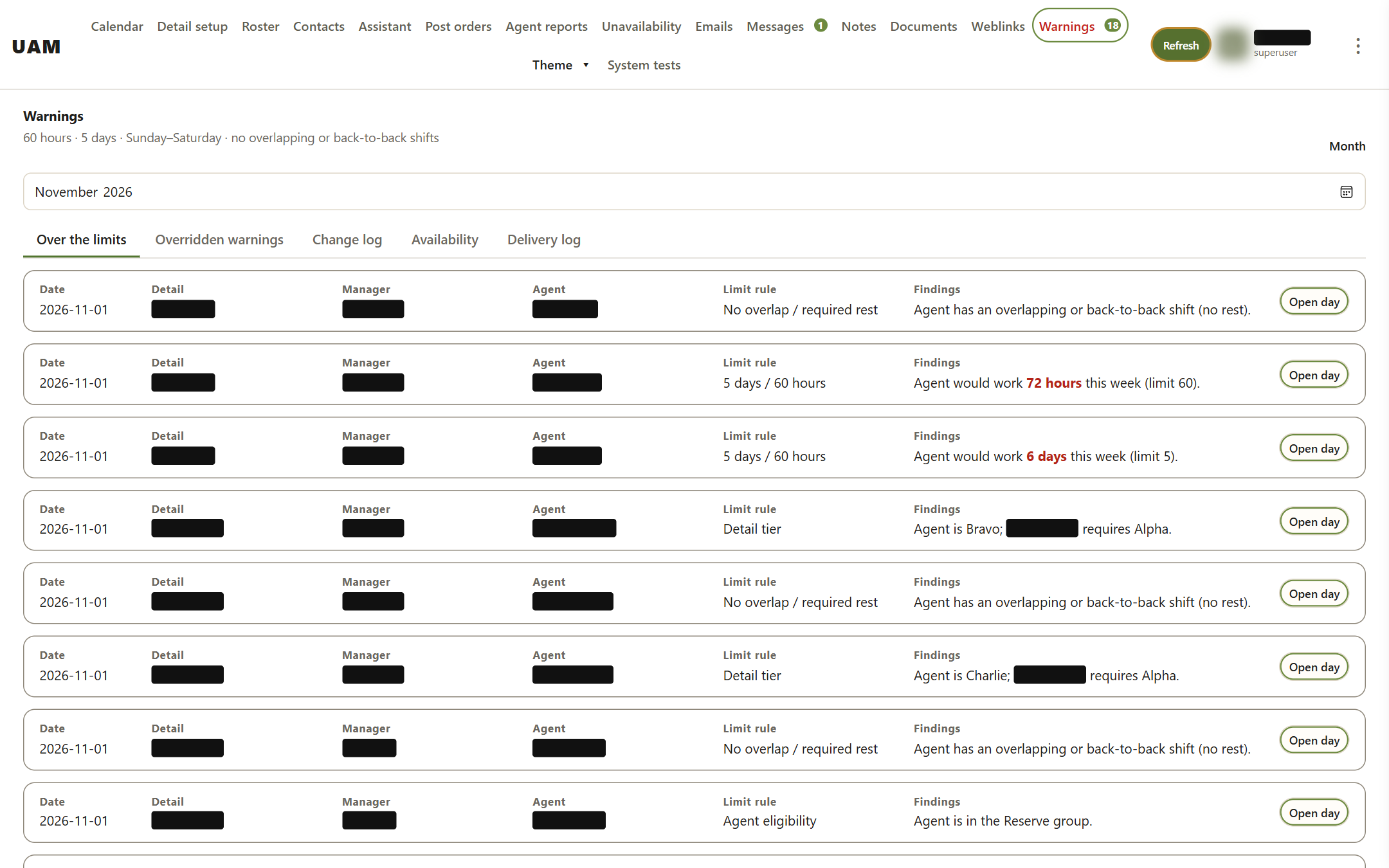
UAM checks every assignment against company limits and lists anything out of bounds: more than 60 hours or 5 days in a week, back-to-back shifts with no rest, an agent below the tier a detail requires, or an agent from the Reserve group. "Open day" goes straight to the calendar to fix it. Other tabs hold overridden warnings, the change log and the delivery log.
On a phone
Manager home
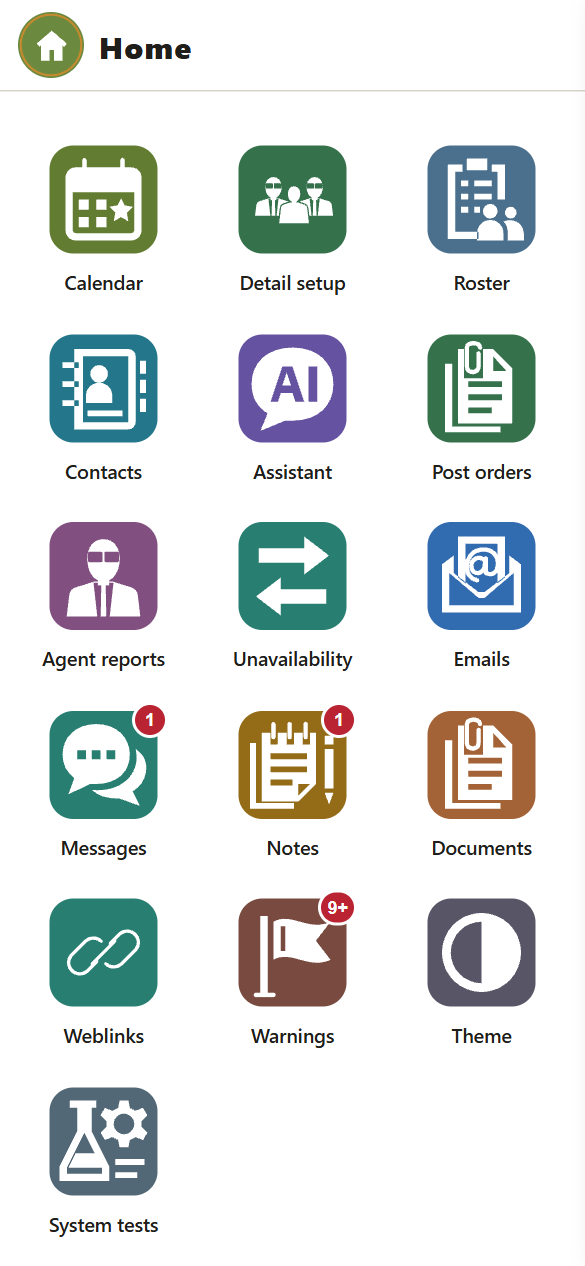
On a phone the manager app opens to a grid of tiles, with badges for unread messages, notes and warnings.
Agent home
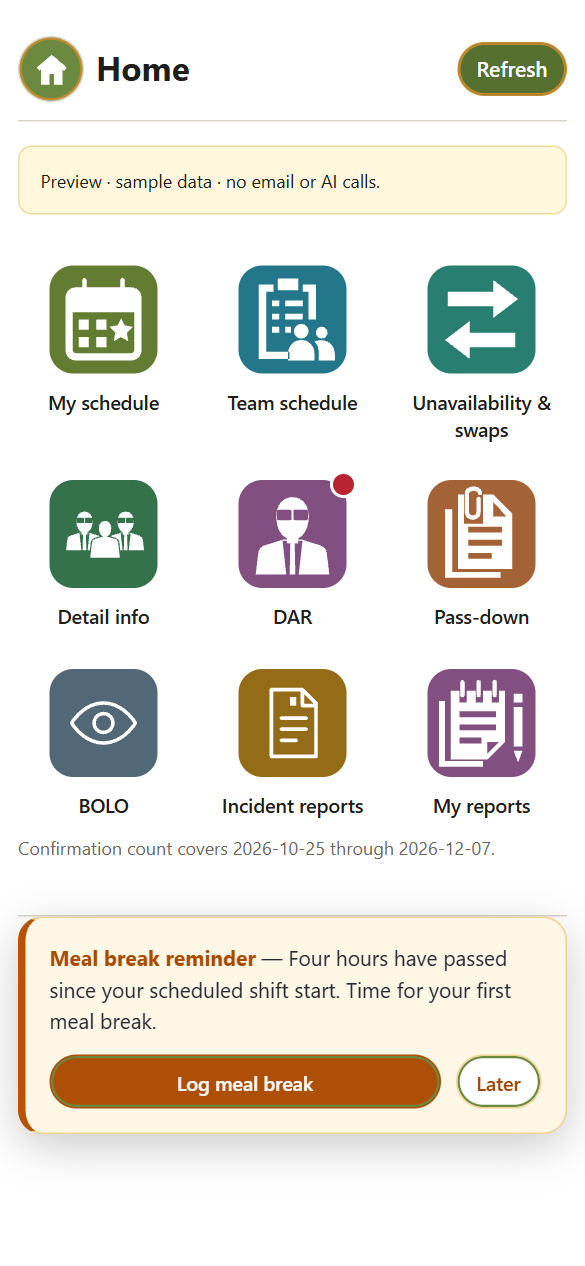
Each agent gets a personal link, protected by a PIN, that installs like an app. Home leads to their schedule, team schedule, time off and swaps, site info, DAR, pass-down notes, BOLO, incident reports and past reports. Meal-break reminders show up on schedule.
My schedule
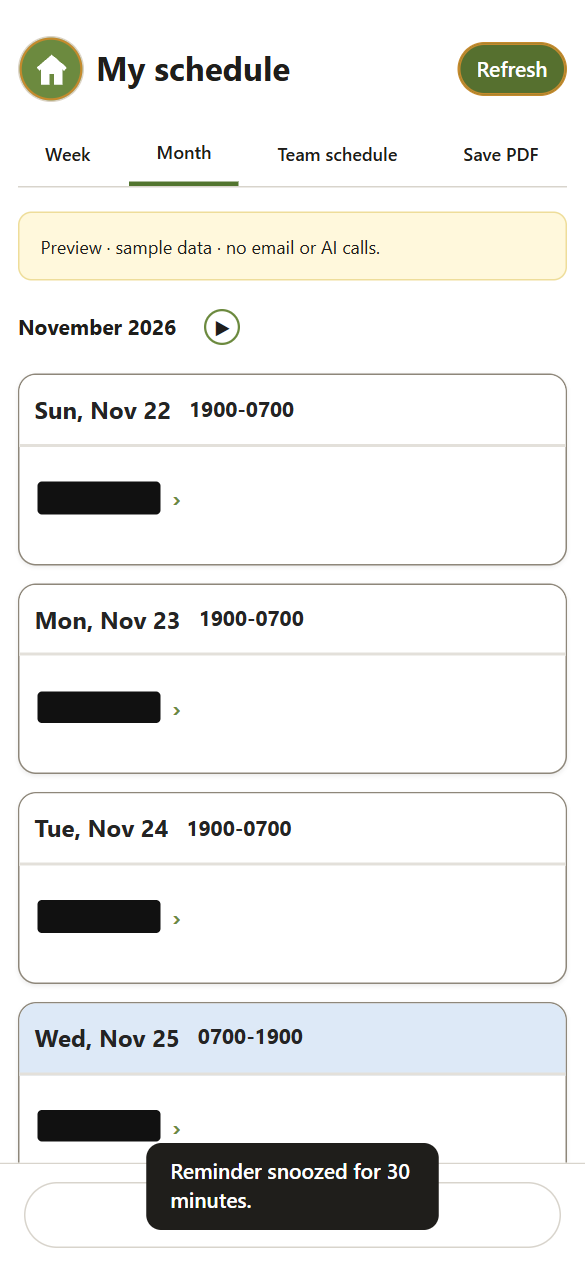
The agent's upcoming shifts by week or month, with a PDF download. Open shifts they can volunteer for appear at the bottom.
Team schedule
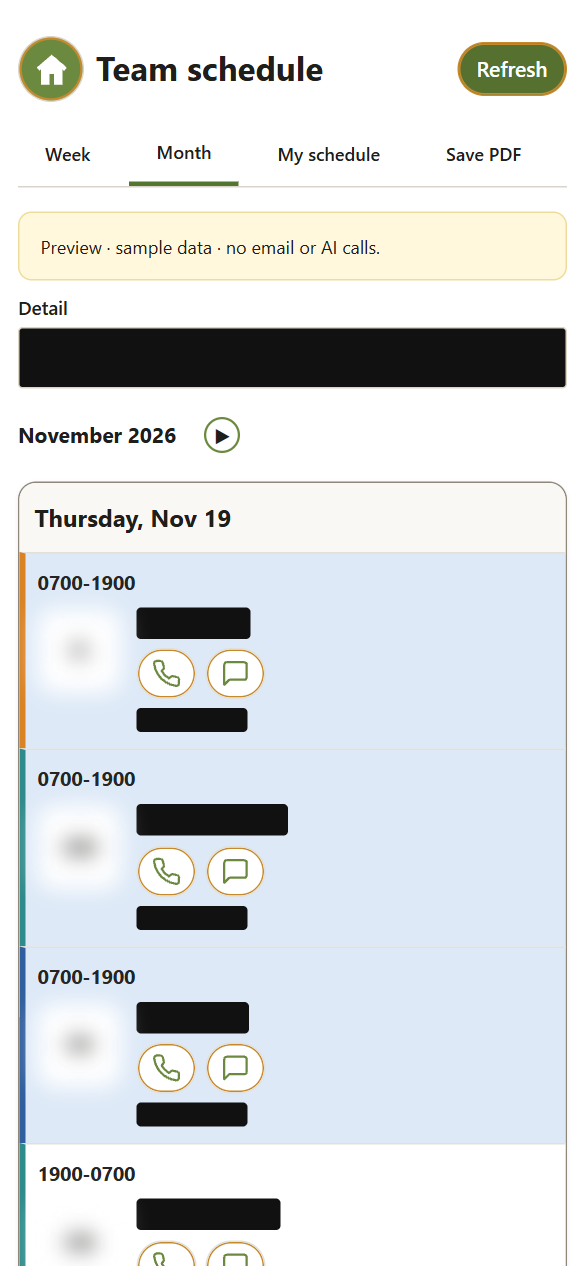
Who else is working the detail and when, with call and text buttons so agents can arrange handoffs directly.
DAR
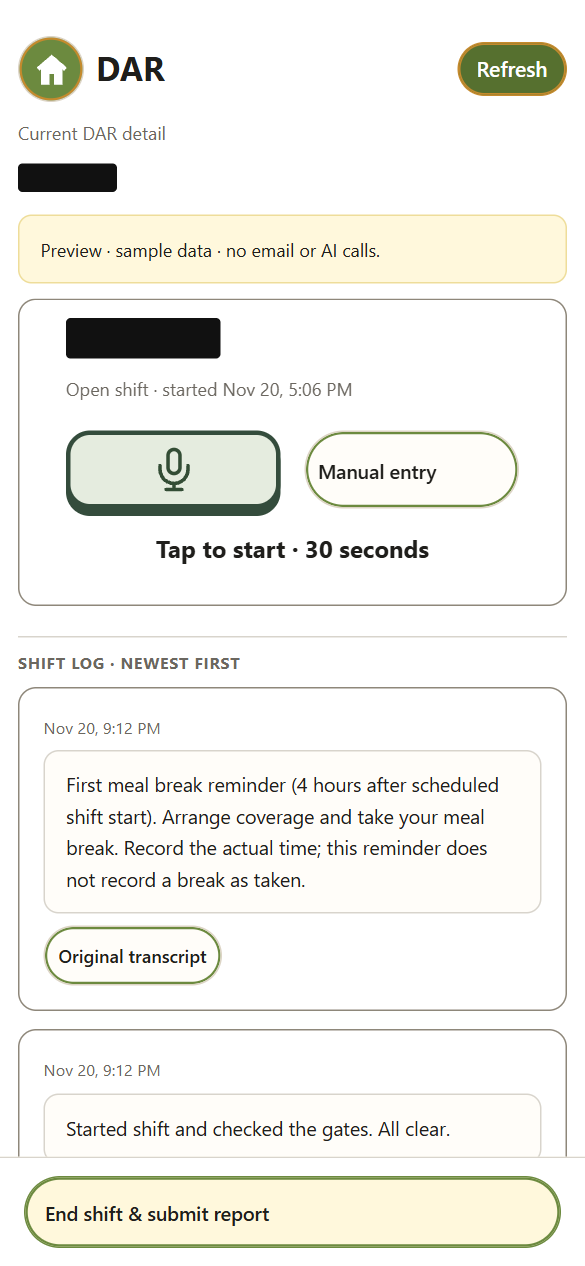
Agents log activity by voice (tap the mic and talk for up to 30 seconds) or by typing. Entries become a timestamped shift log, and "End shift & submit report" sends it to the managers.
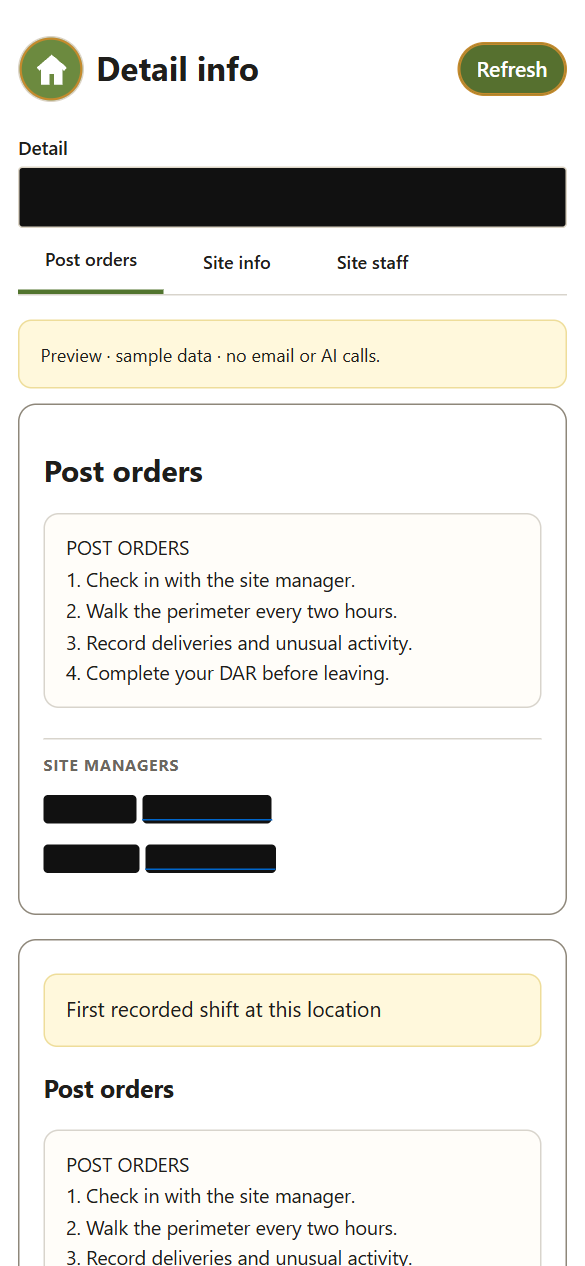
Detail info
Post orders, site information and site staff for the agent's detail. Agents acknowledge the post orders, and their first shift at a new location is flagged.